Everyday work
People, accounting, meetings and documents: the operational foundation, with the required configuration.
 CONDO SAS
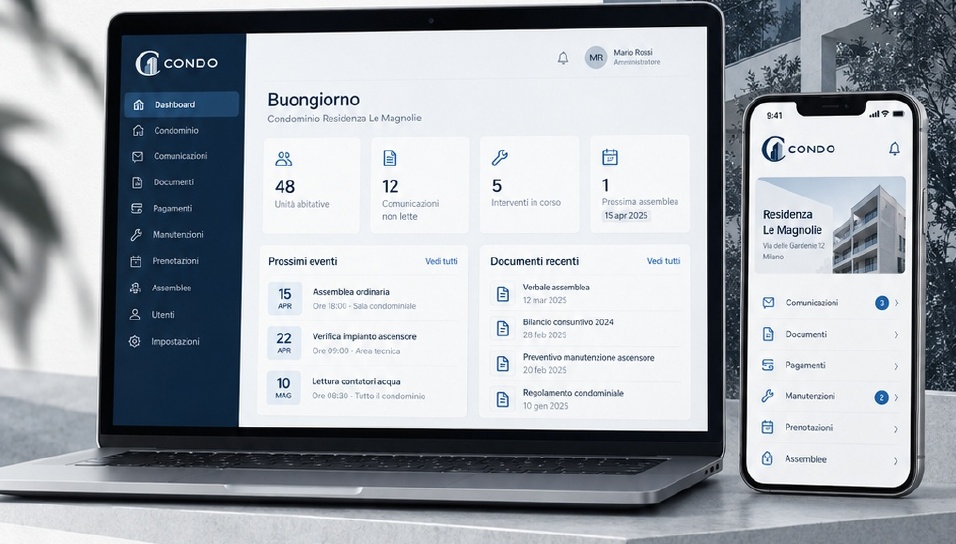
CONDO is condominium management software connecting property managers, residents and suppliers. Accounting, documents, maintenance and deadlines in one shared workspace.

A report gets followed up. An expense stays linked to its account. A resolution can become a concrete task. CONDO helps connect the things that happen in a condominium.
The pneumatic post: a request leaves the owner, passes through the property manager, reaches the supplier and comes back closed.
Explore the main modules and their availability.
Tasks, priorities and deadlines gathered around the work that needs attention.
The CONDO cabinet: each record enters through the hopper and a carriage takes it to the drawer of its category.
Two everyday CONDO tasks taken apart like machines: splitting an expense by thousandths, and the calendar that warns you before every deadline.
The thousandths splitter: an expense enters the hopper and splits into channels as wide as each flat’s thousandths.
The deadline calendar: a crank turns the year wheel and warns you before every deadline.
People, accounting, meetings and documents: the operational foundation, with the required configuration.
Dedicated tax modules, external services and optional AI assistance require release verification and activation.
Advanced automation and new community workflows are planned developments, with no implied release dates.
Each profile describes a distinct way of working. Actual permissions depend on the configuration assigned by the property manager.

Firm priorities, accounts, buildings, people and compliance.
The role key board: each profile takes only the keys of the areas it can access.
CONDO is designed to make the work of managing, living in and working with a condominium easier to follow. NOESIS CONDO.
The questions we hear most, pinned where you’d look for them. Unpin a notice to read the answer.
11 notices on the board
Notice no. 01
To administrators
Yes, for the features marked as available. Some modules are activated after a check of your firm’s requirements; upcoming developments are labelled as such and are not presented as already live.
Notice no. 02
To administrators
Request a demo: we’ll show it to you with the data of a sample condominium and talk about how your firm works today. After you register and sign the NDA you can also watch the presentation video and browse the complete feature catalog.
Notice no. 03
To administrators
The fee is annual and grows gradually with the number of units you manage, with no steps: adding condominiums never bumps you into a higher band. At the start there is an onboarding fee in proportion to the size of the condominiums. We prepare the exact quote after the demo, based on your own numbers.
Notice no. 04
To administrators
Yes, and you don’t have to do it yourself: we at CONDO import and configure the data of your firm and your condominiums starting from what you use today, and hand it over ready and checked.
Notice no. 05
To administrators
Usually between 30 and 60 days, depending on the number of condominiums and the amount of data to import. After the demo we give you a start-up plan with the milestones for your firm.
Notice no. 06
To residents
Yes: residents have their own app, and can also use CONDO from the browser. Communications and notices can also arrive by email, SMS or WhatsApp, depending on how the manager sets them up.
Notice no. 07
To residents
What concerns you: communications, shared documents, your own account position and the reports you have opened, with their status. What is visible is decided by the firm through role-based permissions.
Notice no. 08
To residents
Managers, staff, owners, tenants, council members, partners, guests, auditors and Super Admins have distinct paths. Actual access depends on configured permissions.
Notice no. 09
To suppliers
You receive the work order with the context of the case, update its status as you work and close it with a signature. The partner app also works where there is no signal and syncs as soon as the connection returns.
Notice no. 10
To everyone
Data is stored in the European Union. Access is protected by two-step verification, everyone sees only what their role allows, every operation stays in the activity log and backups are daily.
Notice no. 11
To everyone
The video and the complete catalog show the product in detail, including features that are not yet public. The NDA protects both sides: it is filled in and signed online in a few minutes, with a confirmation code sent by email, and once approved the material is available right away.
Elevation A — lobby wall · scale 1:20
Tell us about your firm — we’ll let you in.
Reply within one working week
Everything in its place.
Your firm too.